Best Revit Add-ins for Productivity in 2026
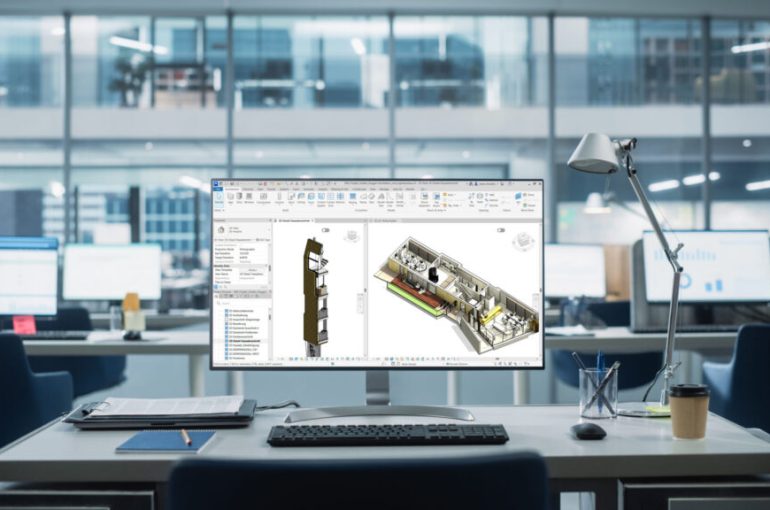
If you’re still relying only on out-of-the-box tools in Autodesk Revit 2026, here’s a hard truth:
You’re probably spending 30–40% of your week on tasks that could be automated.
Manual sheet creation. Parameter updates. Room data exports. Repetitive view placement. Clash-based openings. Data cleanup.
In 2026, the firms winning more projects — and delivering faster — are the ones leveraging Revit plugins, AI-driven BIM tools, generative design software, and automation workflows.
This year, the shift is clear:
- AI-assisted documentation
- Real-time cloud data management
- Generative site feasibility
- Faster scan-to-BIM pipelines
- Automated BIM coordination
Here’s a deep dive into the best Revit plugins and automation tools for 2026 — and why they matter for architects, BIM managers, and AEC firms.
The “Big Three” Revit Productivity Suites (2026 Edition)
If your firm wants a one-stop ecosystem for BIM efficiency, these suites are practically non-negotiable.
DiRootsOne – The Automation Powerhouse (Free & Affordable)
DiRootsOne remains one of the most downloaded Revit plugin bundles in 2026 — and for good reason.
It combines multiple automation tools into a single interface, helping BIM teams eliminate repetitive modeling and documentation work.
What’s New in 2026:
- Advanced SheetGen: AI-assisted sheet naming, automated numbering, and smart placement based on company standards
- FamilyReviser 2026 Update: Bulk editing nested family parameters across entire projects
- Improved Excel integration for parameter management
For firms that want maximum productivity with minimal investment, DiRootsOne continues to deliver serious ROI.
Ideate Software – Enterprise-Level Data Control
When it comes to mass data entry and BIM data management, nothing competes with Ideate BIMLink.
In 2026, BIMLink’s integration with Excel has become an industry standard for handling large-scale parameter edits.
Why BIM Managers Love It:
- Update thousands of room, door, or window parameters in seconds
- Perform QA/QC checks across multiple models
- Export and re-import data without breaking relationships
- Clean up inconsistent naming standards
Instead of clicking through properties one by one, BIMLink turns Revit into a database engine.
For large healthcare, mixed-use, or institutional projects — this tool alone can save dozens of hours per week.
pyRevit – The Customization King
Open-source. Powerful. Flexible.
pyRevit remains the go-to solution for BIM Managers deploying custom Python tools firm-wide.
In 2026, pyRevit continues to shine because:
- It allows centralized deployment of custom scripts
- It avoids complicated installation processes
- It empowers firms to build internal automation libraries
For firms serious about BIM innovation, pyRevit is less a plugin — and more a platform.
AI & Generative Design Tools: The 2026 Game Changer
If 2024 was experimentation and 2025 was testing, 2026 is the year AI became essential in BIM workflows.
Autodesk Forma – Cloud-Based Site Intelligence
Formerly Spacemaker, Autodesk Forma is now deeply integrated with Revit 2026.
This isn’t just conceptual massing anymore.
Forma allows you to:
- Run wind simulations
- Perform noise impact analysis
- Evaluate sunlight and shadow studies
- Test density and zoning scenarios
And then push that geometry directly into Revit as native elements.
This creates a seamless pipeline from concept design to BIM development, eliminating guesswork early in the project lifecycle.
Glyph by EvolveLab – AI Documentation Co-Pilot
Glyph has quickly become one of the most talked-about AI tools in AEC.
Think of it as ChatGPT — but inside Revit.
You can type:
“Create floor plans for Levels 1–10 and place them on A100 sheets.”
And Glyph executes it.
It handles:
- View creation
- Sheet generation
- Documentation structuring
- Repetitive detailing workflows
In high-volume residential or commercial projects, this dramatically reduces documentation time.
AI is no longer replacing designers — it’s removing their administrative burden.
TestFit – Generative Site Feasibility
For developers and architects focused on site optimization, TestFit is transformative.
TestFit generates:
- Parking layouts
- Unit mixes
- Building massing
- Yield studies
Based on zoning codes and site constraints — in milliseconds.
Instead of spending days testing feasibility manually, teams can evaluate dozens of scenarios before even opening Revit.
That’s competitive advantage.
Visualization & Reality Capture Tools for Revit 2026
Performance improvements in Revit 2026 have made real-time visualization smoother than ever — especially with “Accelerated Graphics” mode.
Enscape & Twinmotion – Real-Time Rendering Inside Revit
Both Enscape and Twinmotion now fully support Revit 2026’s graphics engine updates.
What that means:
- Near-instant ray-traced feedback
- Live model syncing
- Minimal performance lag
- No exporting required
Architects can present immersive visuals directly from the BIM model — shortening design review cycles.
ReCap Pro Plugin – Faster Scan-to-BIM
With Autodesk ReCap Pro, point cloud workflows have matured significantly.
The 2026 plugin enhancements allow:
- Faster mesh conversion
- Cleaner point cloud processing
- Direct family creation from scanned data
For firms specializing in renovation, heritage restoration, or facility upgrades, this speeds up Scan-to-BIM workflows dramatically.
Essential Dynamo Scripts Every 2026 Workflow Needs
Not all BIM automation comes in plugin form.
Dynamo 3.4.1 is more stable and powerful than ever in Revit 2026.
Every BIM team should maintain a curated Dynamo library. Here are three must-haves:
Clash-to-Opening Script
Automatically places:
- Wall openings
- Structural sleeves
- Floor penetrations
Based on MEP clash detection.
Instead of manually cutting openings after coordination meetings, this script completes the task in minutes.
Room Data to Excel (COBie-Ready)
Exports:
- Room finishes
- Areas
- Department data
- Asset parameters
Into a structured, COBie-compliant spreadsheet.
For facility management handover, this script eliminates hours of manual data compilation.
Advanced Automatic View Placement
While Revit 2026 improved sheet automation, custom Dynamo scripts still outperform native tools for:
- Dependent view layouts
- Multi-sheet series
- Complex title block logic
- Large-scale documentation sets
For projects with hundreds of sheets, automation here is a massive time saver.
Revit Automation Is No Longer Optional
In 2026, using only native Revit tools is like drafting in CAD without layers — technically possible, but inefficient.
The most competitive BIM firms are combining:
- AI-driven documentation
- Cloud-based site intelligence
- Mass data editing tools
- Custom Dynamo automation
- Real-time visualization
The result?
- Faster delivery
- Fewer coordination errors
- Reduced manual workload
- Higher staff productivity
- Better project margins
If your BIM team still spends hours on repetitive documentation tasks, it’s not a workload problem — it’s an automation gap.
And in 2026, that gap is the difference between surviving… and leading.