V-Ray vs. Enscape vs. D5 Render: Which SketchUp Plugin is Best in 2026?
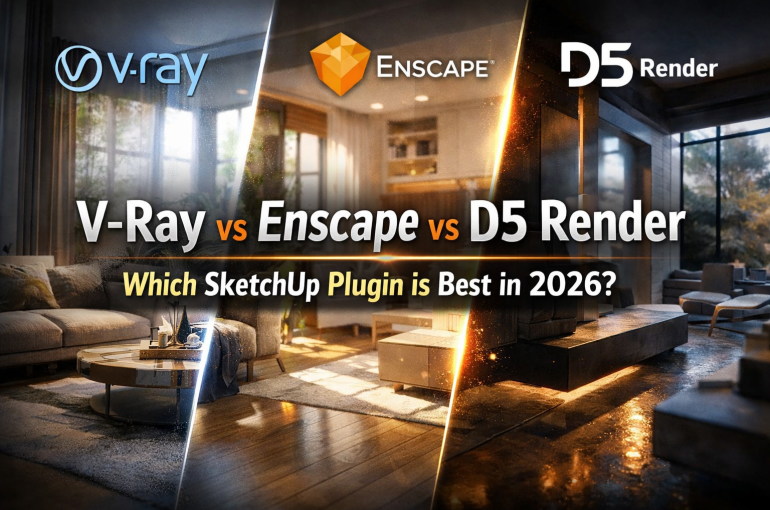
When it comes to SketchUp visualization, choosing the right rendering plugin can significantly impact how your designs are presented. Whether you’re an architect, interior designer, or 3D artist, the right tool helps transform a simple model into a compelling visual story.
Today, many professionals rely on powerful rendering plugins to produce realistic images, animations, and walkthroughs. Among the most popular options in 2026 are V‑Ray, Enscape, and D5 Render. Each offers unique strengths depending on your workflow and visualization goals.
In this guide, we compare these three tools to help you determine the best render engine for interior design, architecture, and SketchUp projects.
1. V-Ray – The Industry Standard for Photorealistic Rendering
V‑Ray is widely known for producing high-end photorealistic images used in professional architecture and design presentations.
Key Features
- Advanced lighting and material system
- Highly realistic reflections, textures, and shadows
- CPU and GPU rendering options
- Extensive asset libraries and customization tools
Best For
- Photorealistic architectural visualization
- Marketing-quality interior renderings
- High-detail design presentations
Considerations
While V-Ray offers unmatched realism, it usually requires longer render times and a steeper learning curve compared to real-time rendering tools.
2. Enscape – Fast Real-Time Rendering for Designers
Enscape is a popular real-time rendering SketchUp plugin that allows designers to instantly visualize their models while working.
Key Features
- Real-time rendering directly inside SketchUp
- Instant walkthrough and VR capability
- Easy-to-use interface for beginners
- Quick design iteration and client presentations
Best For
- Architects and interior designers needing fast visualization
- Live walkthroughs during client meetings
- Quick concept presentations
Considerations
Although Enscape is extremely fast and user-friendly, its rendering realism may be slightly less detailed compared to offline engines like V-Ray.
3. D5 Render – Real-Time Rendering with Cinematic Quality
D5 Render has quickly gained popularity among designers looking for high-quality real-time visualization.
Key Features
- GPU-powered real-time rendering
- High-quality lighting and reflections
- AI-enhanced assets and materials
- Smooth animations and cinematic environments
Best For
- Interior designers and visualization artists
- Real-time presentations with near photorealistic quality
- Fast production of marketing visuals
Considerations
D5 Render requires a powerful GPU, and workflow integration may differ slightly depending on your SketchUp setup.
Comparison Overview
| Feature | V-Ray | Enscape | D5 Render |
|---|---|---|---|
| Rendering Type | Offline Rendering | Real-Time Rendering | Real-Time Rendering |
| Image Quality | Ultra Photorealistic | Good | Very High |
| Speed | Slower | Very Fast | Fast |
| Ease of Use | Moderate | Easy | Moderate |
| Best For | Marketing visuals | Live presentations | Cinematic visuals |
Which SketchUp Rendering Plugin Should You Choose?
The best plugin depends on your design workflow and visualization needs:
- Choose V‑Ray if you want maximum photorealism for professional architectural visualization.
- Choose Enscape if you need fast, real-time rendering during the design process.
- Choose D5 Render if you want real-time rendering with high visual quality and cinematic results.
Many firms actually use multiple rendering tools together to balance speed and realism throughout different stages of a project.
As SketchUp visualization tools continue evolving in 2026, rendering plugins are becoming faster, smarter, and more powerful. Whether you’re creating interior design presentations, architectural walkthroughs, or marketing visuals, tools like V‑Ray, Enscape, and D5 Render can help elevate your designs.
Selecting the best render engine for interior design and SketchUp projects ultimately depends on your priorities—speed, realism, or workflow simplicity.