2D vs 3D vs BIM: What’s the Difference?
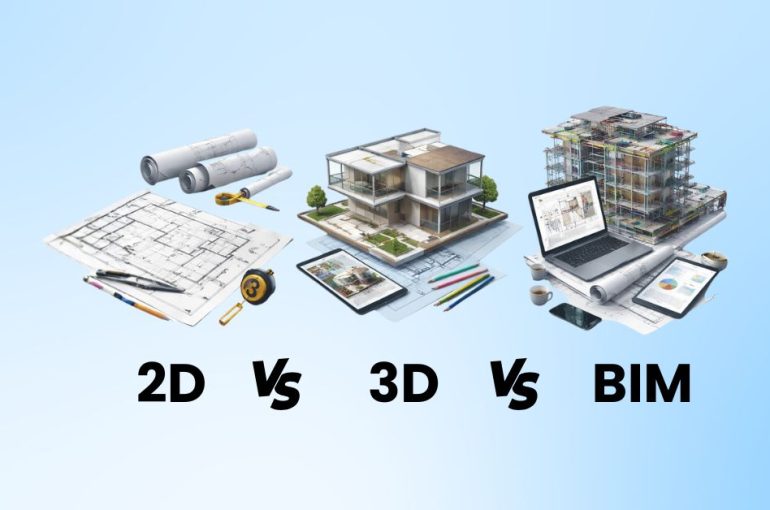
If you’re exploring design or construction workflows, you’ve probably come across terms like 2D, 3D, and BIM.
They’re often used together—but they’re not the same thing.
Understanding the difference helps you choose the right tools, improve your workflow, and avoid unnecessary confusion.
What is 2D Design?
2D (two-dimensional) design is the traditional way of creating drawings using flat views.
This includes:
- Floor plans
- Elevations
- Sections
- Technical drawings
Software like AutoCAD is commonly used for 2D drafting, where precision and detailed documentation are the priority.
Key Characteristics of 2D:
- Flat drawings (no depth)
- Highly accurate measurements
- Widely used for construction documentation
- Requires manual updates across drawings
In short: 2D is all about precise drawings—but everything is separate and needs to be managed manually.
What is 3D Design?
3D (three-dimensional) design adds depth to your drawings, allowing you to visualize objects and spaces more realistically.
Tools like SketchUp are widely used for creating 3D models, especially in architecture and interior design.
Key Characteristics of 3D:
- Visual models with height, width, and depth
- Easier to understand design intent
- Great for presentations and client communication
- Faster concept development
In short: 3D helps you see your design—but it doesn’t always carry detailed project data.
What is BIM?
Building Information Modelling (BIM) goes beyond 3D.
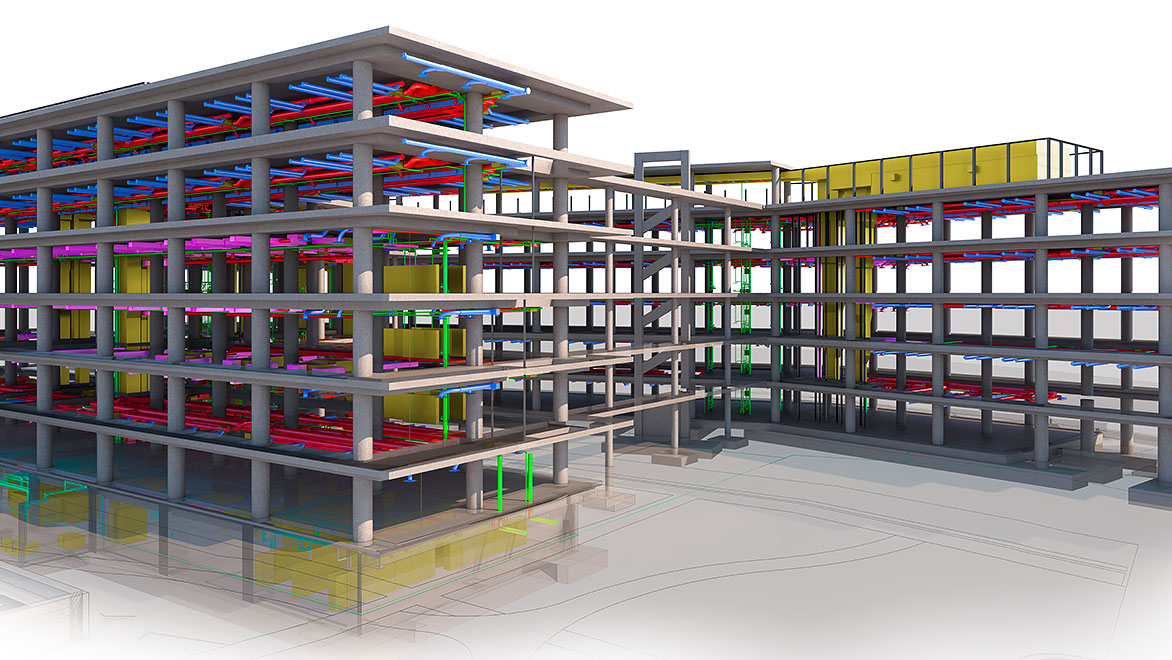
It’s not just about creating a model—it’s about creating a data-rich, intelligent model that connects design, documentation, and collaboration.
Software like Autodesk Revit is commonly used for BIM workflows.
Key Characteristics of BIM:
- Intelligent 3D models with embedded data
- Automatic updates across drawings and schedules
- Multi-discipline collaboration (architectural, structural, MEP)
- Better coordination and fewer errors
In short: BIM is not just a model—it’s a connected system for managing the entire project.
2D vs 3D vs BIM: Key Differences
| Aspect | 2D | 3D | BIM |
|---|---|---|---|
| Dimension | Flat drawings | Visual models | Intelligent models |
| Data | Minimal | Limited | Data-rich |
| Updates | Manual | Manual | Automatic |
| Collaboration | Limited | Moderate | High |
| Use Case | Documentation | Design & presentation | Full project lifecycle |
When Should You Use Each?
Use 2D when:
- You need precise technical drawings
- You’re working on detailed documentation
- Simplicity is sufficient
Use 3D when:
- You want to visualize and present ideas
- You’re in the concept or design stage
- Client communication is key
Use BIM when:
- You need coordination across teams
- You’re managing complex projects
- Accuracy, data, and efficiency are critical
Do You Need to Choose One?
Not necessarily.
In many real-world projects, these workflows are used together:
- 3D for concept design
- BIM for coordination and documentation
- 2D for specific outputs and detailing
Each plays a role at different stages of the project.
Final Thoughts
2D, 3D, and BIM aren’t competing approaches—they’re evolving layers of how projects are designed and delivered.
The shift isn’t about replacing one with another.
It’s about using the right method at the right time.
Not Sure Which Workflow Fits You?
Choosing between 2D, 3D, and BIM depends on your project requirements, team setup, and long-term goals.
Get in touch with our team to explore the right tools and workflows for your needs, or request a quotation based on your requirements.
Or, if you’d like to see the difference in action—
join one of our demos or training sessions to experience how each workflow works in practice.